
Real-world examples
Consider the questions behind the dataset, not just the numbers on the screen.
Find topics across data analytics, AI and SAS learning.
Data Analytics
Practical guides, real examples and clear explanations for working with data in SAS. Learn how to prepare, explore, analyse and present results with confidence.
Explore guides
Consider the questions behind the dataset, not just the numbers on the screen.
Move from importing and cleaning records to interpreting visual results.
Build habits for checking evidence and explaining your conclusions clearly.
What you can do
Explore the main areas of data analytics with SAS, from preparing raw information to interpreting results and developing models. Each topic is one part of a connected analytical process.
View all topics
Import, check and transform raw information into a more reliable basis for analysis.
Explore workflow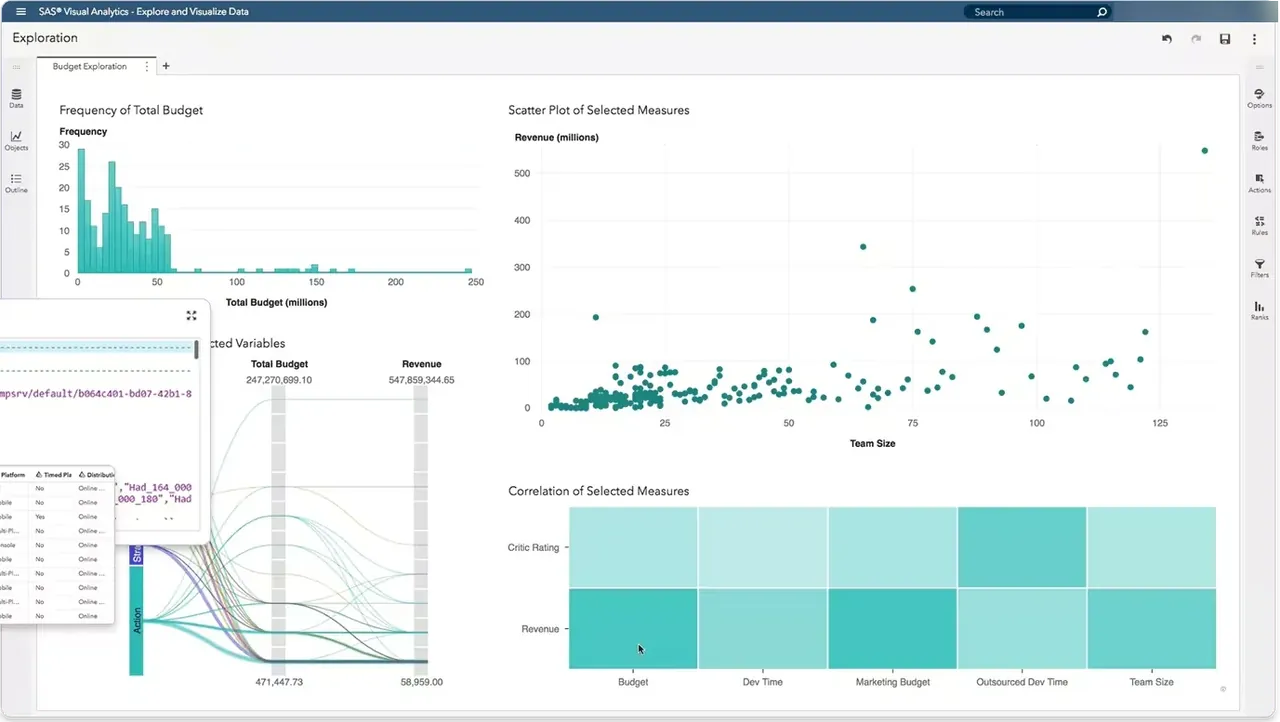
Compare variables, discover patterns and choose charts that clarify the question.
Explore workflow
Use descriptive measures and statistical methods to test relationships thoughtfully.
Explore workflow
Build, compare and evaluate models before applying predictions to decisions.
Explore workflowReal analytics in practice
Learn with real datasets and step-by-step examples using SAS Studio. A typical task may begin with inspecting a table, identifying missing values and creating derived columns before calculating statistics or preparing a report.
The important step is evaluating what the results actually mean. Review your transformations, examine unusual observations and avoid treating a model output as an answer without context.
Browse examples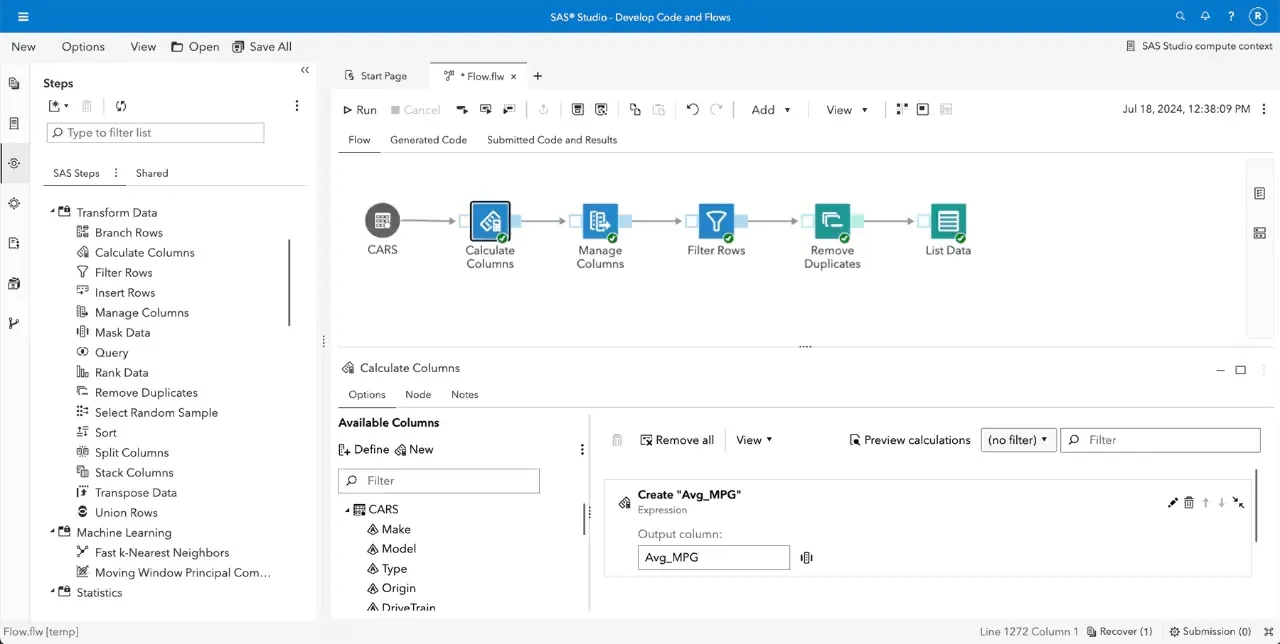
SAS Studio — a visual workflow for preparing and transforming data.

Why learn data analytics with SAS?
SAS is used across different fields for managing data, reporting and analytical work. Understanding its methods can help learners approach messy datasets with a clearer plan and greater care.
Strong analysis involves more than producing charts. It means choosing suitable methods, acknowledging limitations and communicating results in ways that others can assess.
See the benefitsData preparation, reporting and modelling play a part in business, research and public-sector work.
Work through transformations, explore output and compare alternative approaches.
Practise asking clear questions, assessing data quality and communicating findings.
Use SAS documentation and academic materials to explore tools and methods further.
Ready to explore?
Explore guides, documentation and worked-through approaches to analytical questions — and continue learning with SAS.